Hidden Features in Google Student’s Don’t Know
Discover powerful Google tricks that can save time, boost productivity, and improve study efficiency. From advanced search operators to hidden tools, these features help students find accurate information faster, stay organized, and learn smarter. Unlock the full potential of Google and gain an academic edge effortlessly today.

Hidden Features in Google That Students Don’t Know
Let’s be honest—most students think they know how to use Google. You type something in, hit search, click the first link, and that’s it… right? Not even close.
Google is way more powerful than it looks. In fact, it has so many hidden features that can literally save your time, improve your productivity, and even make studying a little less boring. The problem? Most students never discover them.
So if you’re in school, this might actually change how you study forever.
1. Search Like a Pro with Quotation Marks
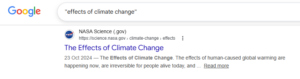
Ever searched something and got completely irrelevant results?
Here’s a simple trick: use quotation marks (” “).
Example:
Instead of typing: climate change causes
Try: “climate change causes”
This tells Google to show results with the exact phrase.
Why it matters:
When you’re writing projects or assignments, this helps you find precise information instead of wasting time.
2. Remove Unwanted Results with a Minus Sign
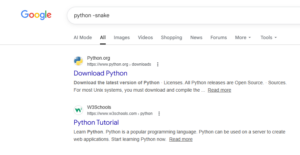
Sometimes Google shows things you don’t want. You can fix that using the minus (-) sign.
Example: jaguar -car
This will show results about the animal, not the car.
3. Find PDFs Directly (Perfect for Notes!)
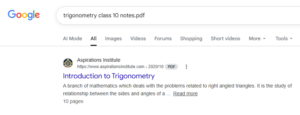
This is a game-changer.
Example: trigonometry formulas filetype:pdf
You’ll get ready-made notes, worksheets, and even books.
Why students love this:
PDFs are usually more structured and exam-focused.
4. Built-in Calculator & Unit Converter
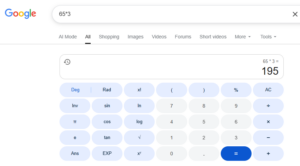
No need to open a separate app.
Examples:
45*23
10 cm to inches
Google instantly calculates it.
5. Set a Timer or Stopwatch
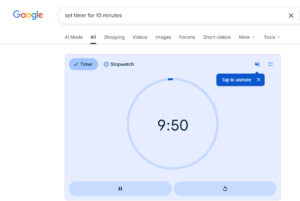
Studying with focus? Try this.
Example: set timer 25 minutes
Perfect for the Pomodoro Technique (25 min study + 5 min break).
6. Google Can Solve Math Problems
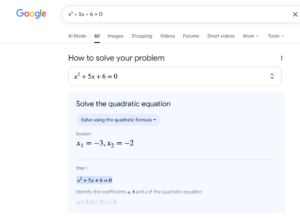
You can type equations like:
x² + 5x + 6 = 0
Google helps solve it or gives tools.
7. Explore the World with Google Earth
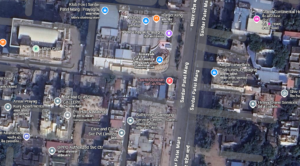
Bored of geography? Use Google Earth.
You can explore places in 3D, visit monuments, and see cities from above.
8. Google Scholar for Serious Study
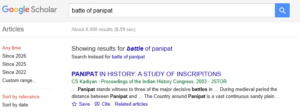
If you want real academic content, use Google Scholar.
It provides research papers, case studies, and verified content.
9. Use “Related:” to Find Similar Websites
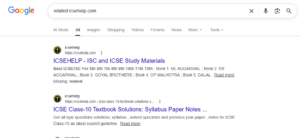
Example: related:byjus.com
Google will show similar educational websites.
10. Fun Hidden Easter Eggs

Search things like:
do a barrel roll
Google gravity
Pacman
Enjoy small breaks while studying.
11. Reverse Image Search
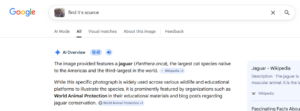
Upload an image to find its source or details.
Conclusion
Most students use Google at a basic level, which wastes time.
Using these hidden features:
- Your study time reduces
- Your efficiency increases
- Studying becomes more interesting
You don’t need to study harder. You just need to study smarter.
–: End of Hidden Features in Google Student’s Don’t Know :–
–: also visit : —
Please share with your friends
Thanks